KARATE CHOP
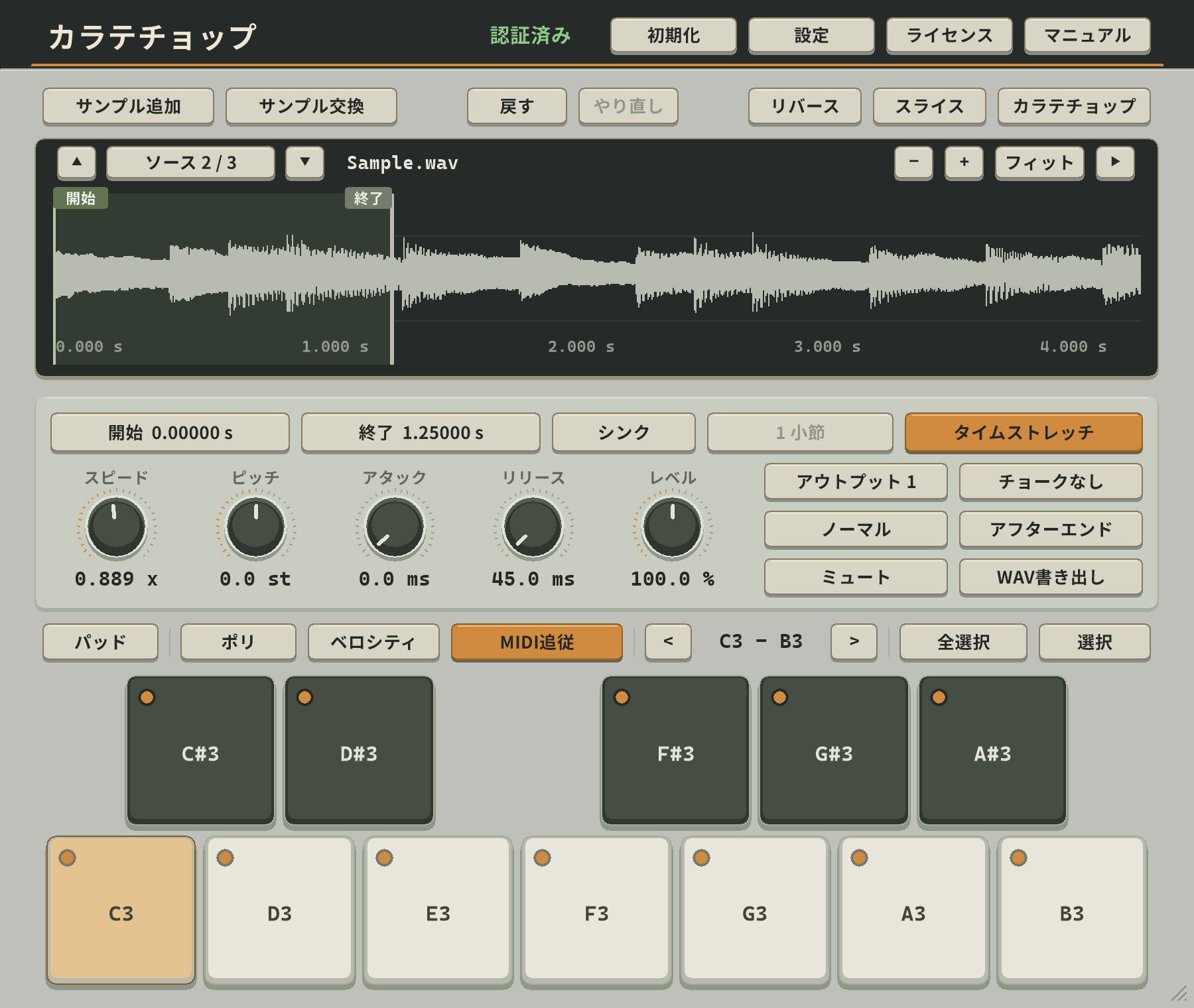

高品質タイムストレッチを搭載した、多機能サンプリングマシーン
A versatile sampling machine with high-quality time stretching.
$69月額$6.90のオプションありOr $6.90 per month
製品を見るExplore Karate Chop
高品質タイムストレッチを搭載した、多機能サンプリングマシーン
A versatile sampling machine with high-quality time stretching.
$69月額$6.90のオプションありOr $6.90 per month
製品を見るExplore Karate Chop
無機質な音をドープなサウンドに変化させるエフェクトプラグイン
An effect plug-in that turns sterile audio into dope sound.
$69月額$6.90のオプションありOr $6.90 per month
製品を見るExplore Lo-Fi Push両製品のライセンスをまとめて購入。通常購入より$9お得です。
Get both plug-in licenses in one purchase and save $9 compared with buying them separately.
$129
最大8声のシンプルで使いやすいコーラスです。時間差・音程差・パンの広がりとMixを調整し、音に厚みや揺らぎを加えます。
A simple, easy-to-use chorus with up to eight voices. Adjust time, pitch, stereo spread, and Mix to add depth and movement.
0レイテンシーのシンプルなハードクリッパーです。トラックやマスターのピークを整えるのに使えます。
A simple zero-latency hard clipper. Use it on individual tracks or the master bus to control peaks.
テンポ同期、タップテンポ、ピンポンに対応したステレオディレイです。Time、Feedback、Mixで、リズミカルなエコーや音の広がりを手軽に作れます。
A stereo delay with tempo sync, tap tempo, and ping-pong echoes. Use Time, Feedback, and Mix to add rhythmic repeats and stereo space.
サンプルを60鍵に割り当て、MIDIで演奏できるドラムサンプラーです。ADSR、チョーク、16系統のステレオ出力で音を整え、キットごと保存できます。
A drum sampler with 60 MIDI-playable keys. Shape samples with ADSR and choke groups, route them to 16 stereo outputs, and save complete kits.
24バンド、Stereo/L/R/Mid/Side対応の使いやすいイコライザーで、個々のトラックやバスの音作りに使えます。
An easy-to-use 24-band equalizer with Stereo, L, R, Mid, and Side processing, for shaping individual tracks or buses.
SF2・SF3・SFZを読み込んで演奏できる音源プレイヤーです。音色の検索や、エンベロープ・エフェクトなど細かな調整にも対応。
An instrument player for SF2, SF3, and SFZ banks, with preset search and detailed envelope, effect, and other controls.
音量、パン、ステレオ幅などを調整できるユーティリティです。ドラムやベースをモノラルにしたり、音の広がりを整えたりするのに最適です。
A utility for adjusting level, pan, stereo width, and more. Make drums or bass mono, adjust gain, and shape the stereo spread.